
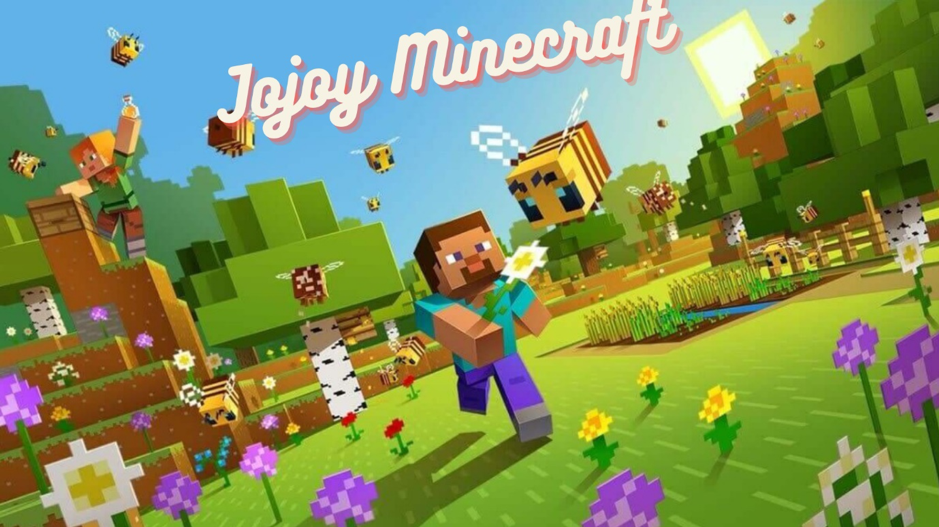
If you’ve typed jojoy minecraft into a search bar, you’re likely trying to find a faster or cheaper way to play Minecraft on mobile, or you want easy access to mods, skins, and maps without juggling multiple downloads. This guide explains what jojoy minecraft usually refers to, how it’s different from the official Minecraft experience, the legal and security implications that most readers miss, and—most importantly—safer, legit ways to get the features you actually want.
What “Jojoy Minecraft” Usually Means
“Jojoy Minecraft” is a search phrase people use when they’re looking for a Minecraft APK (often modified or “modded”) through Jojoy, a third-party app library. In practice, that can mean:
- Trying to download Minecraft: Bedrock Edition for Android without paying
- Looking for a pre-modded build that bundles skins, maps, or gameplay tweaks
- Hunting for faster updates or “premium” unlocks without official purchases
It’s important to understand that Jojoy is not the official Minecraft publisher and not an authorized Minecraft store. It’s a third-party catalog that aggregates apps and, in many cases, modded APKs. That distinction matters for your device’s safety and for Minecraft’s license terms.
Minecraft 101 (Quick Refresher)
Bedrock vs. Java—why this matters for mobile
- Bedrock Edition powers the mobile (Android/iOS), Windows, and console versions. It supports cross-play across these platforms, Realms Plus, and the in-game Marketplace where you can get worlds, textures, and skins.
- Java Edition runs on Windows/macOS/Linux, famous for deep modding with loaders and community repositories. It’s not the version you’ll use on Android phones, but it sets expectations about “mods” that Bedrock users sometimes try to mirror on mobile.
Knowing this helps you decide whether you actually need a modded APK—or whether the official Bedrock features already cover your goals (realms, cross-play, curated content, and more).
Is “Jojoy Minecraft” Legal?
Short answer: No, not for obtaining the game itself. Minecraft’s license (EULA) grants a personal right for you to install the game you purchased on your own device. It does not grant permission to redistribute the game APK or to download it from unauthorized sources. In other words, grabbing a Minecraft APK from a third-party catalog to bypass purchasing is a license violation.
If what you want is skins, maps, or add-ons, there are approved channels to get them in Bedrock via the Marketplace, and Java via well-known modding ecosystems—without touching unauthorized APKs.
Safety Risks You Should Consider
Even if a third-party store promises clean files, there are risks that come with sideloading modded APKs:
- Malware & adware: Modded APKs can hide trackers, aggressive advertising SDKs, or malicious code.
- Tampered signatures: Legitimate updates rely on consistent app signatures. A tampered APK breaks that trust chain and can block seamless updates.
- Account & data exposure: Some builds request unnecessary permissions or send data to unknown endpoints.
- Game stability issues: Modded builds can crash, corrupt worlds, or break after official updates.
- Violation of platform rules: Bypassing official stores can disable protections like Google Play Protect and may expose your device to additional threats.
If you’re evaluating jojoy minecraft because “everyone says it’s safe,” know that safety claims are easy to make and hard to prove. Real-world user reports about aggressive ads, redirects, or non-working “mods” are common in third-party app ecosystems. Treat safety claims with skepticism and prioritize your device and accounts.
What Most Players Actually Want—and Safer Ways to Get It
When people chase jojoy minecraft, they’re often trying to solve one of a few problems. Here are safer, legit ways to get the same benefits.
1) “I want skins, worlds, and add-ons without hassle.”
- Bedrock Marketplace: This is the curated, in-game store with skins, worlds, texture packs, mash-ups, and more. Content is vetted, regularly updated, and designed to work with current Bedrock versions.
- Marketplace Pass: A monthly subscription that unlocks rotating sets of content to try without purchasing each pack individually. This is great for players who want variety without managing multiple outside downloads.
2) “I want cross-play with friends on different devices.”
- Use official Bedrock: Buy and install Bedrock via the official store for your platform (Google Play on Android, Microsoft Store on Windows, etc.). Login with your Microsoft account for cross-play and access to Realms.
- Realms / Realms Plus: Host a private world that stays online for friends. Realms Plus also includes a rotating library of Marketplace content.
3) “I want mods like I see on YouTube.”
- Bedrock: Add-ons and behavior packs exist, but they’re different from Java’s deep modding. The safer path is to use Marketplace items or carefully vetted add-ons from reputable creators who document compatibility with your exact Bedrock version.
- Java (on PC): If you truly want full modding, consider Java Edition. Use mainstream mod loaders and well-known repositories; check compatibility with your game version, keep backups, and update responsibly.
4) “I want it cheap or free.”
- Seasonal discounts & bundles: Minecraft periodically runs official discounts or bundles (e.g., Starter/Deluxe collections). Even small sales can be worth the wait.
- Marketplace Pass trial windows: If available in your region, these trials can give you a lot of content to explore legally for a low monthly cost.
- Community servers & mini-games: You can get endless replay value without extra purchases by joining active communities.
Why Modded APKs Are a Moving Target
Minecraft is updated frequently. A modded APK made for v1.x may break on v1.x+1, especially when Mojang touches gameplay systems or rendering. That’s why APK sites often publish “new versions” tied to new base builds. The churn is a clue: if your goal is stability, official builds with Marketplace content are the path of least friction.
Feature Snapshot: “Jojoy Minecraft” vs. Official Bedrock Paths
Content & Mods
- Jojoy Minecraft: Often promises bundled skins/maps/cheats; quality and authenticity vary; updates lag behind official releases.
- Official Bedrock + Marketplace: Curated content, better compatibility, and predictable updates; optional subscription via Marketplace Pass for breadth.
Security & Updates
- Jojoy Minecraft: Requires sideloading; risks around signatures and malware; no guaranteed patch cadence.
- Official Bedrock: Automatic updates, Play Protect coverage on Android, and clear rollback paths if you keep backups.
Cross-play & Realms
- Jojoy Minecraft: Unclear support; modified files can affect online features or trigger compatibility issues.
- Official Bedrock: Designed for cross-play across mobile, console, and Windows; Realms/Realms Plus are first-class.
Support & Reliability
- Jojoy Minecraft: No official support from Mojang/Microsoft.
- Official Bedrock: Access to official support channels, known issue trackers, and stable release notes.
How to Spot Misleading “Jojoy Minecraft” Promises
Look out for these red flags when reading pages or watching videos about jojoy minecraft:
- “Free premium forever” or “get mod menu with one click”
- “Disable your antivirus/Play Protect” to install
- Sketchy permission requests (e.g., SMS, contacts) for a game
- Claims that “this is the official way”—when it’s clearly not
- Sites cloning Mojang branding or using near-identical logos
If you see any of the above, step away. They’re classic hallmarks of risky APK funnels.
For Parents: A 2-Minute Checklist
- Buy from official stores on your child’s device account.
- Use family settings to restrict sideloading/unknown sources.
- Encourage Marketplace content for a safer add-on experience.
- Talk about “free game” scams so kids recognize red flags early.
- Back up worlds before any major updates or add-on installs.
Regional Notes for Android Users
- Payment methods: Depending on your region, you may have local wallets, UPI, or carrier billing options in official stores, which makes buying Minecraft fast and safe.
- Device performance: Bedrock scales well across hardware tiers. If your device is older, try lowering render distance and turning off fancy graphics before hunting for “lightweight” modded builds.
Should You Ever Touch Third-Party Stores?
You don’t need them for Minecraft. If you experiment anyway—for other games—treat them like potentially unsafe neighborhoods online:
- Keep a non-primary device for testing.
- Never enter your main email or Microsoft account credentials into unknown apps.
- Use on-device scanning and be wary of requests to disable security layers.
- Back up important data and worlds regularly.
But if your goal is Minecraft specifically, the official ecosystem is simpler, safer, and far more stable long-term.
The Bottom Line
Jojoy minecraft is a popular search, but not a smart path. The value you’re after—mods, skins, cross-play with friends, steady updates—already exists in legitimate, safe channels. Stick to the official Bedrock build (or Java on PC for deeper modding), explore the Marketplace and Realms, and keep your device protected. You’ll spend far less time troubleshooting and far more time building the worlds you care about.
FAQs: Jojoy Minecraft
1) Is “jojoy minecraft” the same as the official Minecraft for Android?
No. Jojoy minecraft usually points to third-party APKs or pages about modded builds. The official Android version is Minecraft: Bedrock Edition from authorized stores, with updates, cross-play, and Marketplace support.
2) Can I get banned for using modded Minecraft APKs?
While Mojang doesn’t publish a universal “ban list” for single-player, using modified clients can break online compatibility and may violate server or platform rules. It also violates Minecraft’s license if you’re using redistributed APKs.
3) Are Jojoy or similar catalogs safe for Minecraft?
They’re not official distributors. Any third-party APK source carries risks (malware, tampering, aggressive ads). Even if one file is clean today, future updates aren’t guaranteed to be safe. The low-risk route is to use official stores.
4) What’s the easiest legit way to get lots of skins and maps?
On Bedrock, use the in-game Marketplace. For breadth, consider Marketplace Pass where available. You get curated, compatible packs that update with the game.
5) I want deep gameplay mods like I see on PC. What should I do?
That’s Java Edition territory. If you can play on PC, go Java for full-scale modding via well-known mod loaders and reputable repositories. On mobile Bedrock, stick to Marketplace content or carefully vetted add-ons designed for your exact version.
6) Does iOS have a legit way to sideload Minecraft like an APK?
No. iOS doesn’t support APKs, and Minecraft for iOS is distributed through Apple’s App Store. Claims of “jojoy minecraft for iPhone” are typically misleading.
7) How do I keep my worlds safe during updates?
Regularly back up your worlds (copy world folders off-device or to cloud storage). Before adding any new pack or update, make a backup so you can roll back if something breaks.
